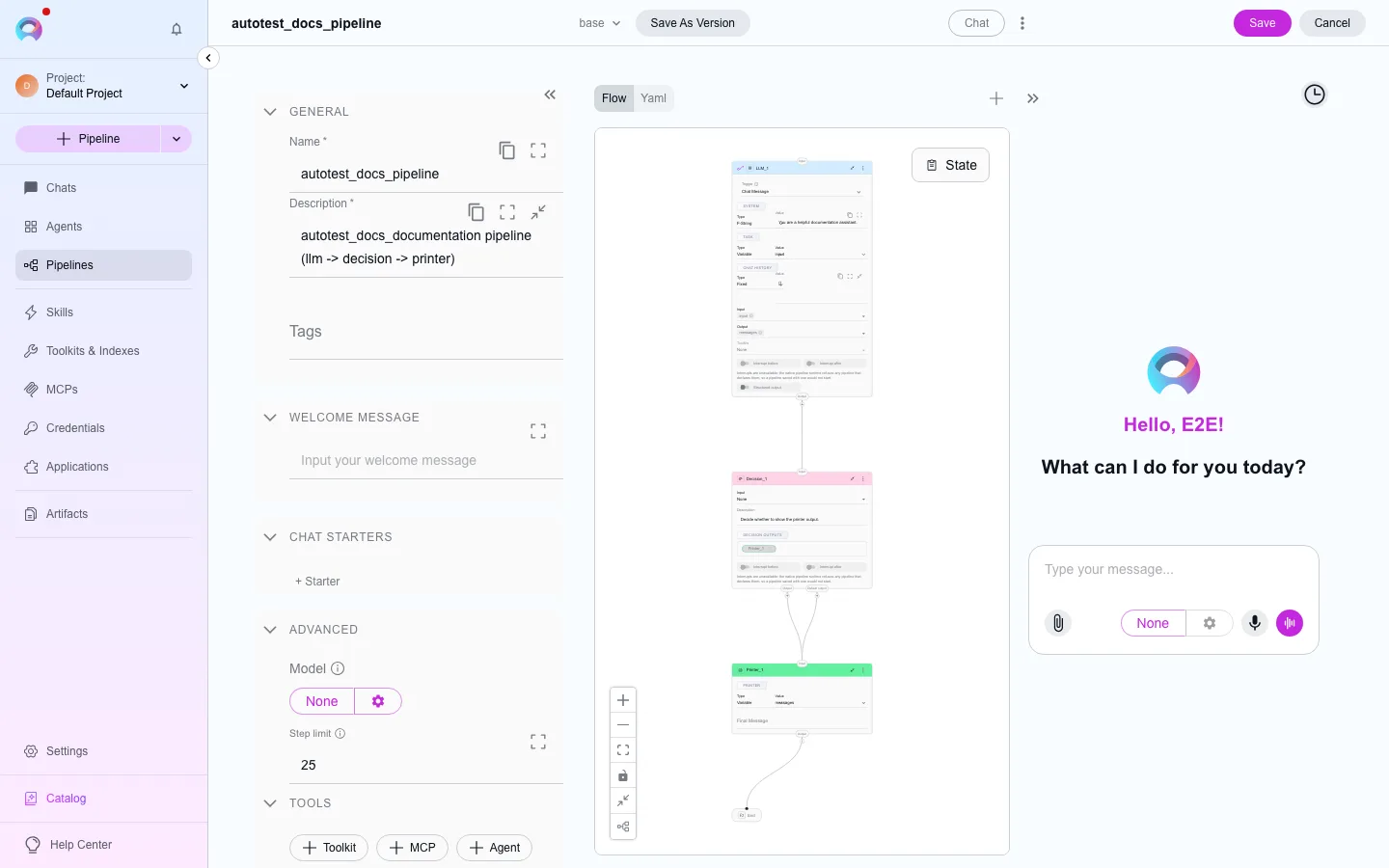
Pipeline structure: state, entry point and connections
A pipeline is a graph of nodes connected by transitions, with one starting point and one shared state object that every node can read and write.
State: the pipeline’s memory
Section titled “State: the pipeline’s memory”State is a structured object carried from node to node. Two states exist on every pipeline automatically:
| State | Type | Holds |
|---|---|---|
input | string | The most recent user message |
messages | list | The full conversation history |
Both are built in, but neither is reserved — you can read or write them like any other state key, and a new pipeline starts with them present but disabled until you turn them on for a node that needs them.
Beyond those two, a pipeline has a fixed set of reserved keys the runtime manages itself — things like session_id, thread_id, output, result, hitl_decisions, hitl_interrupt, parallel_tasks, and a family of internal resume markers. You can read them from a node, but avoid naming a custom state the same as one of these — the runtime will overwrite it with its own value.
Reserved state keys (do not reuse as custom state names)
__elitea_hitl_resume_v1, __elitea_tool_resume_v1, __elitea_llm_tool_resume_v1, __elitea_pipeline_node_event_scope_v1, __elitea_pipeline_result_trace_v1, __elitea_application_task_v1, __elitea_application_messages_v1, __elitea_application_result_v1, __elitea_subgraph_result_v1, output, result, router_output, elitea_response, printer_output, state_types, context_info, hitl_decisions, hitl_interrupt, parallel_tasks, _pipeline_blocked, session_id, thread_id, execution_finished, chat_history
Add a custom state from the flow editor’s States panel (next to the + button for adding nodes), or define it directly in YAML mode.
Entry point
Section titled “Entry point”Every pipeline has exactly one entry point — the node that runs first.
- Set it from a node’s options menu (Make entrypoint), or in YAML with
entry_point: <node name>. - A router node cannot be the entry point — it needs input from an earlier node to decide where to go.
- Setting a new entry point replaces the previous one; only one node holds it at a time.
Node ports and connections
Section titled “Node ports and connections”Every node has one input port (top) and one output port (bottom). Most node types allow only a single outgoing connection; router and decision nodes are the exception — they can fan out to multiple targets, one of which is a labeled default/fallback path.
Node names (ids) are restricted to letters, digits, _, ., : and -, up to 128 bytes.
Ending a run
Section titled “Ending a run”END isn’t a real node — it’s a special connection target that stops execution. Drag a connector to the canvas and choose END, or set transition: END in YAML. Every path through the pipeline should eventually reach it; a path that never terminates can leave a run hanging.