

Use credentials in a toolkit
A credential stores the authentication details a toolkit needs to reach an external service — an API key, a token, or a username and password — so you don’t re-enter them for every toolkit that talks to the same service.
Where credentials live
Section titled “Where credentials live”Credentials are scoped to the project (or your personal project) where you create them:
- Project credentials are shared with the project team.
- Private credentials are visible only to you.
Both kinds appear in a toolkit’s credential dropdown when they match the toolkit’s type — a Jira toolkit only offers Jira credentials, for example.
Create and attach a credential
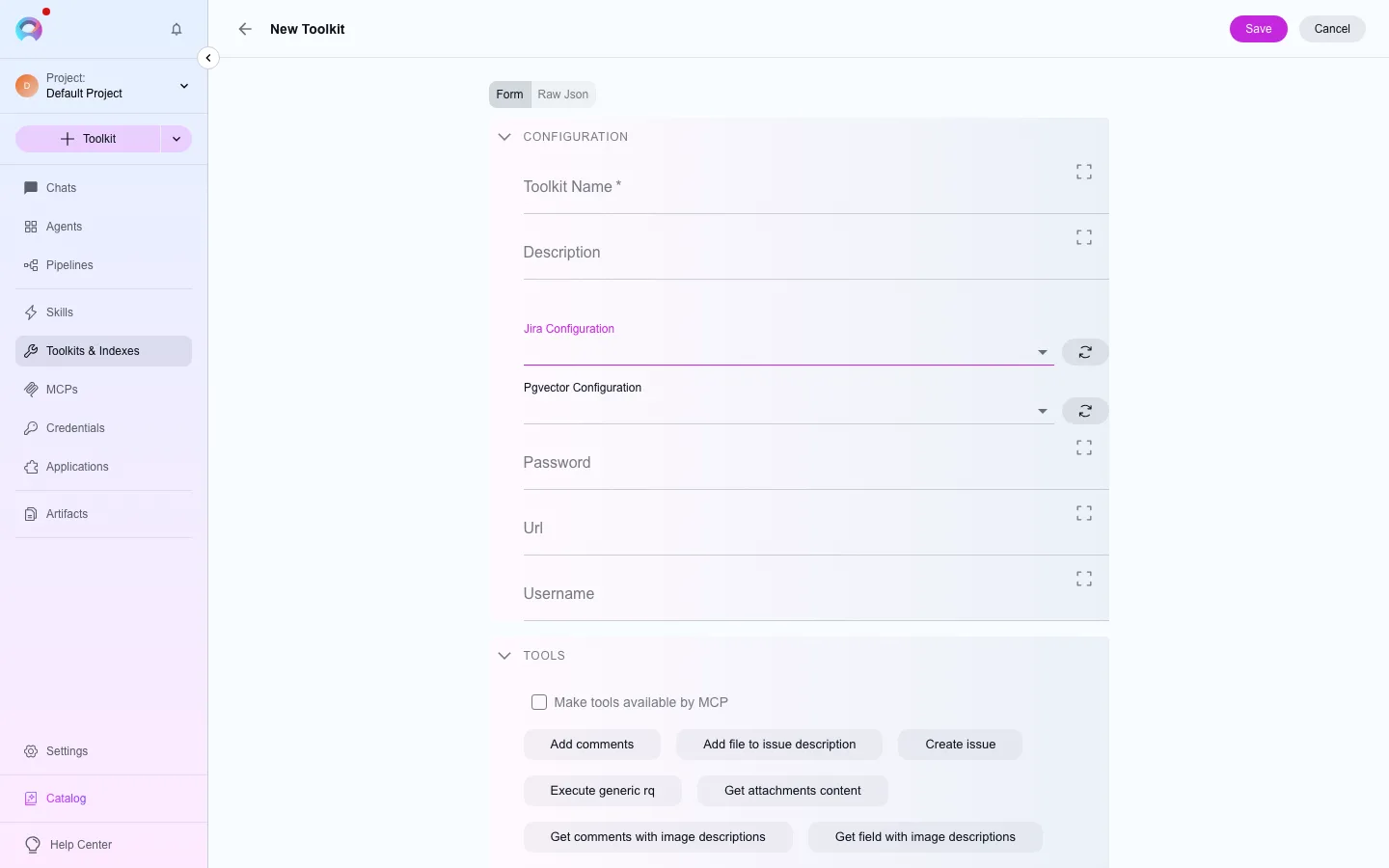
Section titled “Create and attach a credential”- Go to Credentials and select Create credential, or start from a toolkit’s configuration form and use its credential dropdown’s create option.
- Pick the credential type that matches your toolkit (for example Jira, GitHub, or Confluence).
- Fill in the fields the type needs — these vary by service, but commonly include a base URL, a token, or a username and password.
- Save. If you started from a toolkit form, refresh the credential dropdown to pick up the new credential.
Reuse across toolkits
Section titled “Reuse across toolkits”Once created, a credential is reusable across every toolkit of the same type in its scope — you don’t need a separate credential per toolkit instance. For extra protection on especially sensitive values, you can also route a credential’s fields through Secrets.
If a credential stops working — a token expired, or the target service changed — edit it once from the Credentials list, and every toolkit that references it picks up the change on its next call. You don’t need to open and resave each toolkit individually.
Which toolkits need a credential
Section titled “Which toolkits need a credential”Not every toolkit type needs one: the built-in Artifact type reads from your project’s own buckets, and a few settings-only types (cloud provider integrations, for instance) authenticate a different way. Most toolkits that reach an external system — Jira, GitHub, Confluence, and the rest of the catalogue — need a matching credential before they’ll do anything. If a toolkit’s credential dropdown is empty, create one from that same dropdown rather than navigating away to the Credentials menu first.
Next steps
Section titled “Next steps”- Project vs. private credentials for how the two scopes interact on a shared toolkit.
- Create a credential for the getting-started walkthrough.