

Manage conversation context
Every conversation, agent run, and pipeline execution tracks how many tokens its history is using and manages that automatically once the limit gets close. This is enabled by default — there’s nothing to turn on to start seeing it.
The context budget widget
Section titled “The context budget widget”The widget appears once you’ve sent a first message. It has three views:
- Collapsed: a status line — green under the limit, orange over it.
- Compact: adds current token usage as a percentage, the message count, and how many summaries have been generated, plus an edit button.
- Expanded: the full configuration, in three sections — token management, summarization, and user instructions — plus a toggle to turn context management off entirely for this conversation.
Configure it
Section titled “Configure it”Click the widget’s edit control to open the full settings:
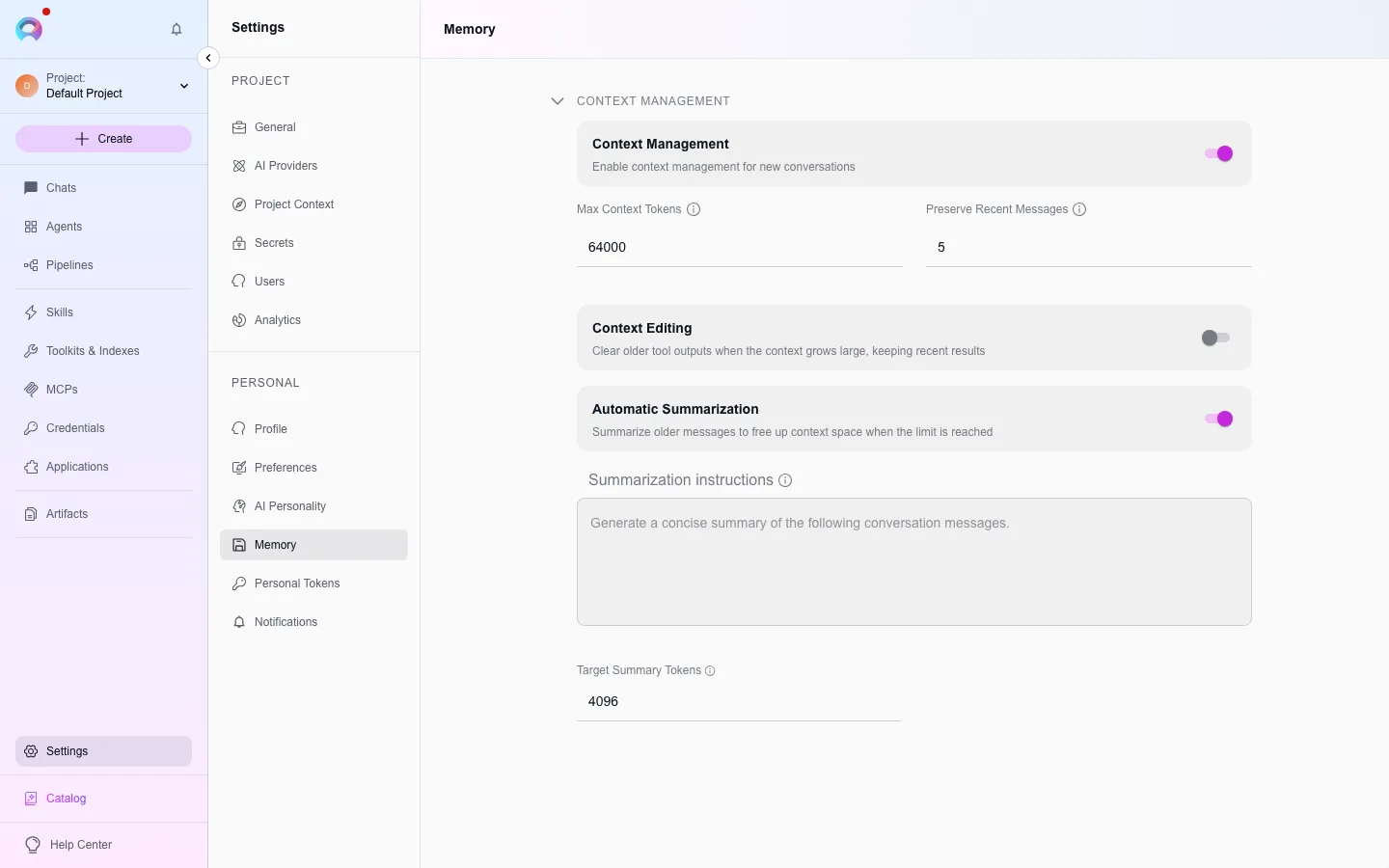
- Max context tokens and preserve recent messages control how much history is kept before older messages are pruned or summarized.
- Automatic summarization compresses older messages into a summary once usage nears the limit, guided by your own summarization instructions and a target summary length. The target must stay below the max token limit — the form won’t let you save otherwise.
- User instructions let you keep system messages pinned, pick a default persona for plain model chat, and add custom behavior instructions.
Your personal defaults for these settings live in Settings › Memory; a conversation, agent, or pipeline can override them for itself.
Why this matters
Section titled “Why this matters”A model can only see as much conversation history as fits in its context window. Without pruning or summarization, a long-running conversation eventually pushes early messages out entirely, and the model loses track of what was said. Automatic summarization trades some detail for a much longer effective memory — the summary stands in for the messages it replaces, so the model still has a sense of what happened even after the original text is gone.
Auto-compaction in Local work (desktop app)
Section titled “Auto-compaction in Local work (desktop app)”In the desktop app, a thread you run on your computer is compacted by the app itself: it summarizes the older messages and keeps the newest ones as they were. The Context tab of a thread shows what fills the model’s context and, below it, the Auto-compaction settings. They apply to every folder, not just the open one.
- Compact automatically turns auto-compaction on or off. When it’s off, the choices below it are off too; you can still type
/compactto summarize the next message’s conversation yourself. - Compact when context reaches sets how full the context window gets before a summary: Near the limit (the default) or a share from 40% to 99%. A lower share makes every request cheaper but forgets detail sooner.
- When idle summarizes a thread you’ve left alone, in the background, just before the provider’s prompt cache expires:
- Before the 5-minute cache expires (4 min) — the default.
- Before the 1-hour cache expires (55 min) — the thread’s requests are cached for an hour, and writing to that cache costs 2× the normal input price.
- Custom… — a number of minutes from 1 to 600. From 5 to 55 minutes, the 1-hour cache is used (2× cache writes). From 56 minutes on, the cache would be gone by then, so idle compaction doesn’t run and the normal 5-minute cache is used.
- Off.
When a thread was summarized while you were away, a short notice above the composer says so, and the context figures drop to the new size.
Why 4 minutes
Section titled “Why 4 minutes”The provider keeps a conversation’s prompt in its cache for 5 minutes, counted from the last request. While the cache is still warm, the app sends the summary request as a continuation of the cached conversation, so the history is read at about 0.1× the normal input price. If the thread waited until after the cache expired, the next message would pay full price for the whole history — and then summarize it anyway. Summarizing at 4 minutes leaves a margin before the cache expires.
Which threads are compacted while idle
Section titled “Which threads are compacted while idle”Only threads with at least 60k tokens of conversation, on paid models with a prompt cache. A thread is skipped while its composer holds text you haven’t sent, and after the computer slept past the cache’s lifetime, since the cache is gone by then.