

Internal tools
Internal tools are capabilities you turn on from Modules in chat or an agent’s Tools section, without configuring an external toolkit. They come from a fixed platform catalogue (features/agents/lib/internalTools.ts) and are turned on per conversation or saved as an agent’s default.
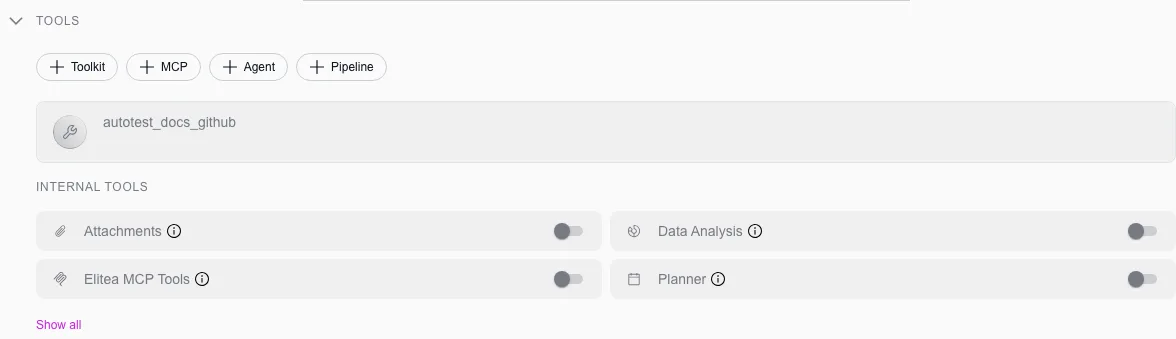
Turn a module on
Section titled “Turn a module on”Select + in the chat toolbar → Modules, then toggle the tool on. The setting lasts for the conversation.
Open the agent, find Modules under Tools (select Show all if it is collapsed), toggle the tool, and Save. New conversations with that agent turn it on by default.
Image creation
Section titled “Image creation”Generates images from a text prompt and shows them inline, using an image-generation model configured in AI Providers. Generated images are saved automatically to the project’s attachments bucket, where you can also download or delete them later from Artifacts.
Data analysis
Section titled “Data analysis”Runs pandas-style analysis over a file you upload to the conversation — summaries, filtering, aggregation, and chart generation — driven entirely by natural-language requests. Upload the file first, then ask for the analysis; generated charts and exported files are saved back to the conversation.
Attachments
Section titled “Attachments”Lets the agent list, read and search the files attached to the conversation — including ones attached in earlier messages — with list_attachments, read_attachment and search_attachment. A file small enough to fit is already shown to the model with your message; the tools reach the rest of a long document and the files from earlier turns. Each file is read from storage the first time the agent asks for it. Turn it on from the agent’s Tools section (it is not in the chat toolbar).
Planner
Section titled “Planner”Lets an agent write a plan for a multi-step task and tick it off as it works: a title and numbered steps that move from pending to in progress to completed (update_plan, start_step, complete_step, get_plan_status, delete_plan). The plan belongs to the conversation: it is kept between messages and survives long conversations being summarised, and deleting the conversation removes it. The agent is also given short planning guidance in its instructions while the module is on.
Swarm mode
Section titled “Swarm mode”Turns a set of agents into peers that can hand off control to one another mid-conversation, all sharing the same conversation history. The agent the user addresses is simply the default entry point; any peer can transfer to any other with a transfer_to_<agent_name> tool, and each hand-off’s task argument must be fully self-contained — the receiving agent gets no other context. Swarm-enabled agents cannot themselves be added as a child of another swarm agent.
Smart tools selection
Section titled “Smart tools selection”Reduces token usage when an agent has many toolkits configured by binding only two meta-tools (get_tool_schema, invoke_tool) instead of every individual tool definition, loading real tool schemas on demand, and adding a compact index of the available toolkits and tools to the agent’s instructions. Turn it on once a conversation or agent uses five or more toolkits — the more toolkits, the larger the savings. With fewer than 20 tools the module switches itself off for that message, since the meta-tools would cost more than they save.