

Catalog
Catalog is the shared library of published agents and skills, visible across every project you have access to — a discovery surface, not a personal workspace. Reach it from the Catalog button near the bottom of the sidebar.
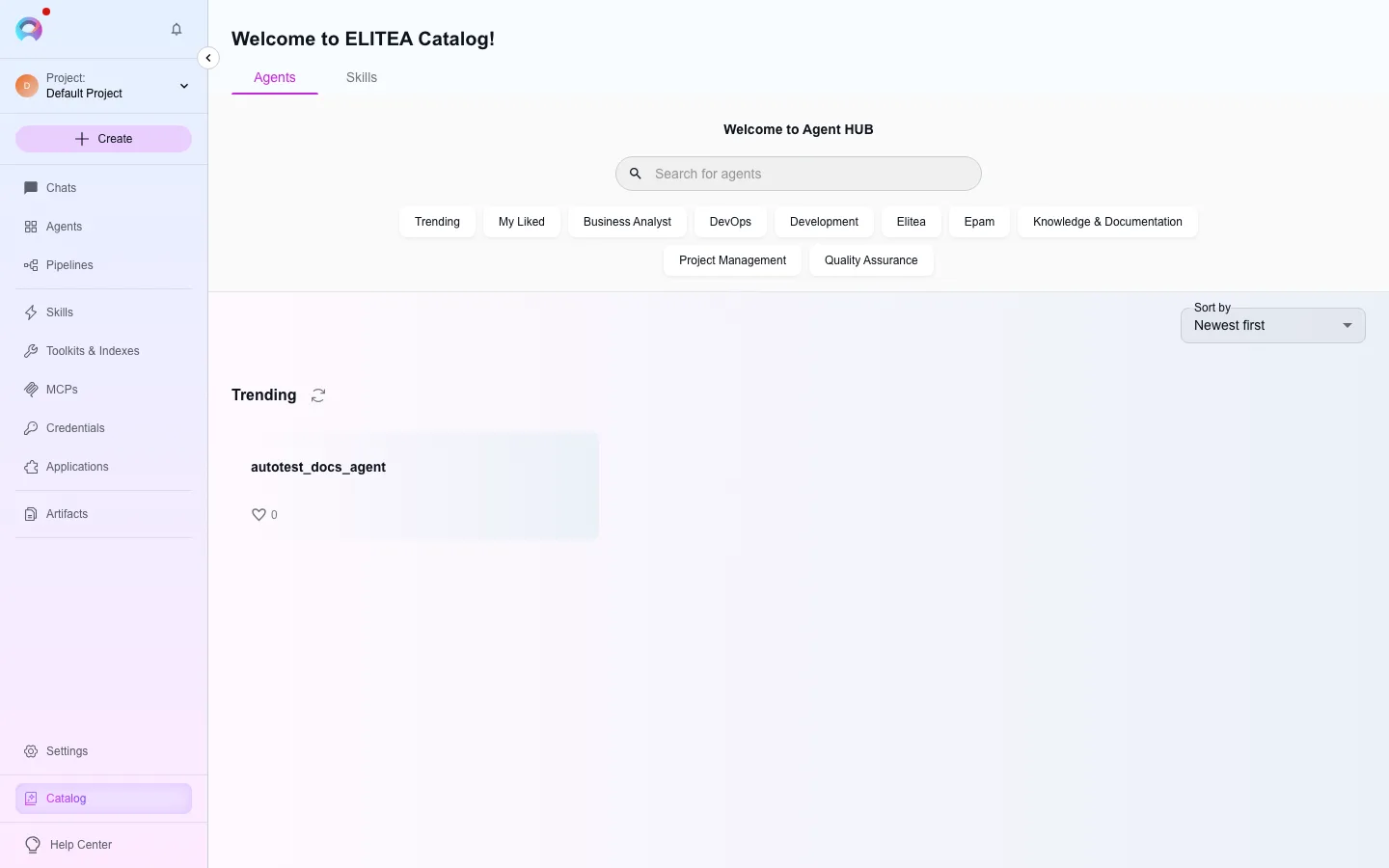
Agents and Skills tabs
Section titled “Agents and Skills tabs”- Agents — published agents shown as cards with creator, likes, and a Start chat action. Select a card to view its full description, instructions (read-only), welcome message, and conversation starters.
- Skills — published skills you can review and attach to one or more of your own agents with Add or Add & Test (the latter also opens a chat with the agent you attached it to).
Filter either tab by category (Trending, My liked, Development, DevOps, and more) or search by name and description.
Start a conversation from Catalog
Section titled “Start a conversation from Catalog”Select Start chat on an agent, or one of its conversation starters, to create a new conversation with that agent already active and its participant added.
What you can and cannot change
Section titled “What you can and cannot change”Published items are read-only. In a conversation with a published agent you can change the model, its settings (Creativity or Reasoning Effort, Max Completion Tokens, Steps Limit), and the values of any variables it defines — these changes apply only to your conversation. You cannot edit its name, instructions, welcome message, conversation starters, or attached toolkits; to get an editable copy, fork it or build your own from the Agents menu.