

Zephyr Scale
Read and manage Zephyr Scale test cases and cycles, stored against Jira issues. It’s listed under the test management category in the toolkit type picker.
Prerequisites
Section titled “Prerequisites”- An account at Zephyr Scale with permission to issue an API token or credential, saved in Elitea as a
zephyrcredential (/credentials/create-credential/<type>). - If you plan to index content for retrieval: an embedding model, configured under AI providers.
Connect the toolkit
Section titled “Connect the toolkit”Open the toolkit type picker
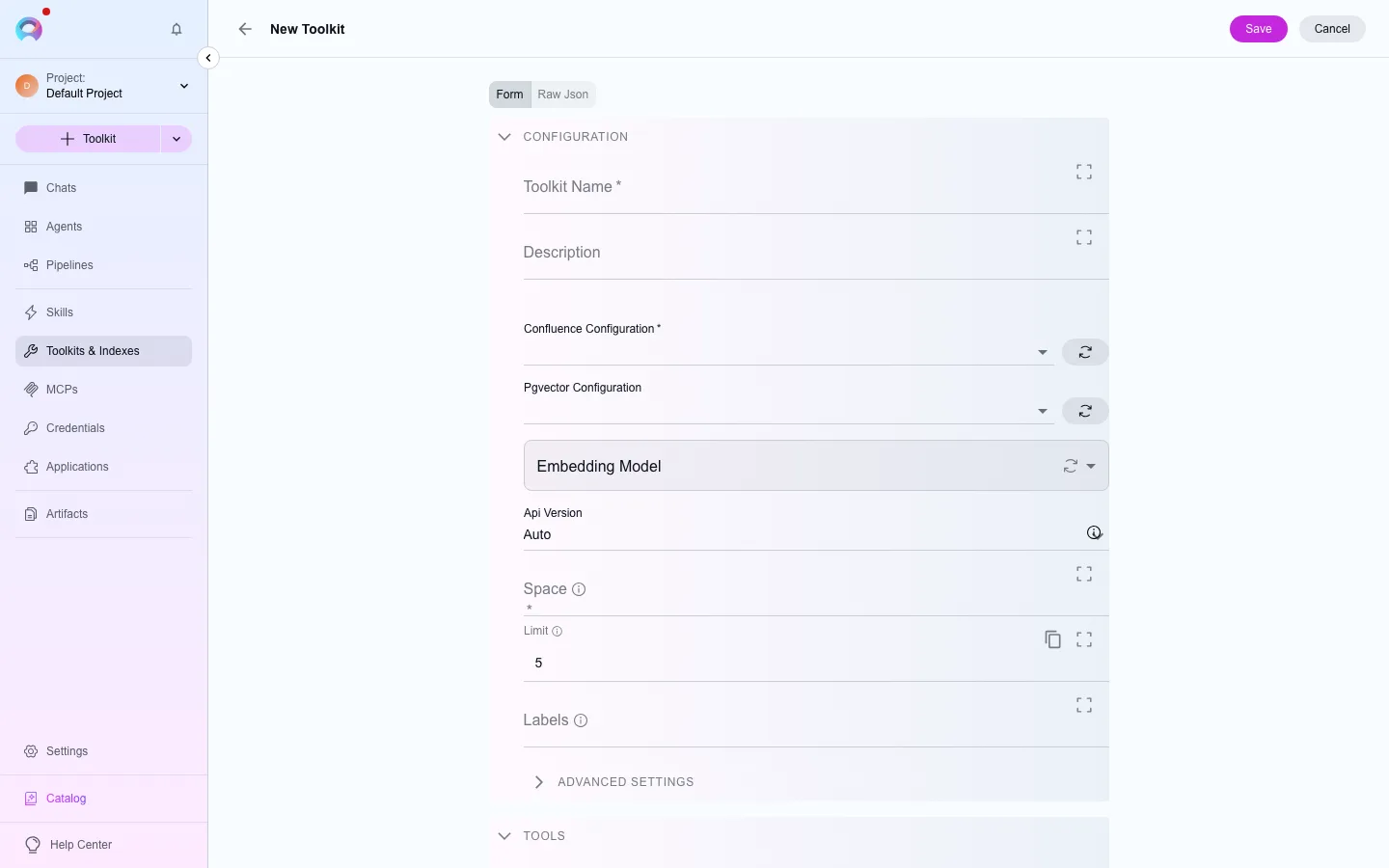
In the left navigation, open Toolkits, then select New. Filter the type picker by the test management category, or search for “Zephyr Scale”.
Pick or create a credential
Under the credential field, choose an existing zephyr credential, or select Create credential to add one without leaving the form.
Add indexing settings (optional)
If you plan to index this source, set an embedding model. Indexes are kept in the platform’s vector store, so there is no vector-storage setting to pick. Leave it empty to use the toolkit without indexing.
Save
Name the toolkit and select Create. It’s now available to attach to agents, pipelines and conversations in this project.
Available tools
Section titled “Available tools”Available tools (26)
The category of a tool decides when a run needs human approval to call it. See Runtime safety.
| Tool | Category |
|---|---|
| Add test steps | write |
| Create issue links | write |
| Create test case | write |
| Create test cases | write |
| Create test script | write |
| Create web links | write |
| Get folders | read |
| Get links | read |
| Get test | read |
| Get test script | read |
| Get test steps | read |
| Get tests | read |
| Get tests by folder name | read |
| Get tests by folder path | read |
| Get tests recursive | read |
| Get version | read |
| Get versions | read |
| Index data | write |
| List indexes | read |
| Remove index | delete |
| Search index | read |
| Search test cases | read |
| Stepback search index | read |
| Stepback summary index | read |
| Update test case | write |
| Update test steps | write |