

Wikis (DeepWiki)
DeepWiki turns a code repository — or a folder of files in an artifact bucket — into browsable documentation: a page tree, diagrams, and a chat you can ask questions of. It lives at its own Wikis area, addressed by the wiki toolkit that generated it, rather than under Toolkits.
Prerequisites
Section titled “Prerequisites”- A wiki toolkit pointed at a source: a Repository (via a GitHub, GitLab or ADO Repos toolkit you’ve already connected), an Artifact folder, or a Bucket.
- An
llm_modelandembedding_modelset on the toolkit, or a project default for both — generation and wiki chat fall back to the project’s default model when the toolkit sets none, and refuse outright if the project has none either.
Generate a wiki
Section titled “Generate a wiki”Add a wiki toolkit
If the project has none yet, add one — the Wikis area prompts you to when it finds none for the project.
Point it at a source
Under the toolkit’s own settings, set the wiki source: a repository toolkit to clone, an artifact folder, or a bucket. Optionally set a folder prefix to scope a bucket or artifact source.
Generate
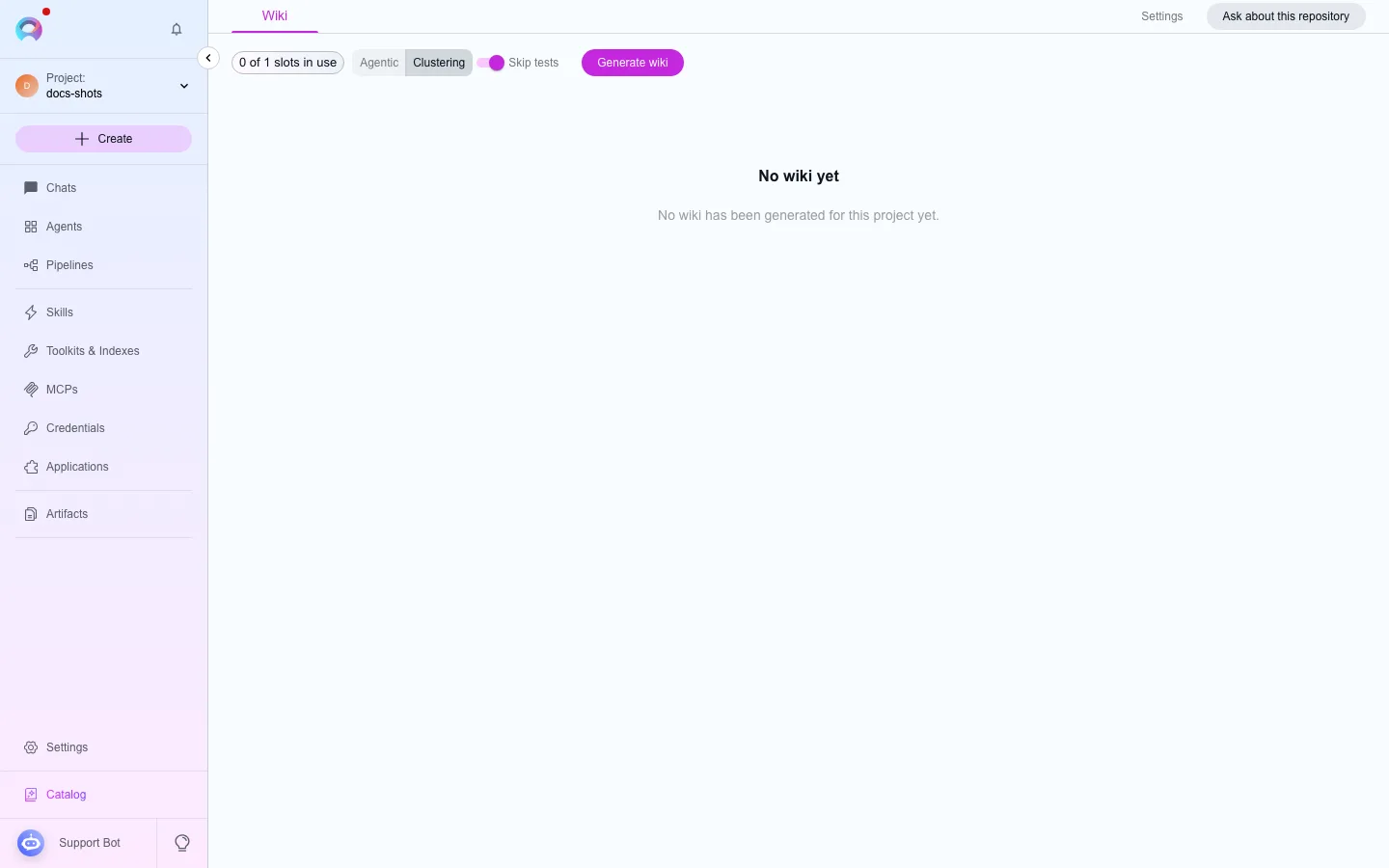
Select Generate wiki. Choose a planner mode (Agentic or Clustering) and whether to Skip tests, then confirm. Generation can take several minutes and runs one at a time per slot — if all slots are busy, wait or stop another run first.
Browse and edit
Section titled “Browse and edit”Once generated, browse the page tree, open Edit page to hand-correct a page (diagrams that fail to render offer a one-click fix you can accept or discard), and use Delete wiki to remove generated pages.
Ask about the wiki
Section titled “Ask about the wiki”Select Ask about this repository to open the chat drawer. Every question and answer is saved server-side as you go, so closing the drawer or reloading the page does not lose the conversation — reopening it picks the same session back up, and your next question still carries the earlier turns as context. Use the history icon in the drawer’s header to see this toolkit’s past conversations, resume one, or delete one you no longer need. Clear the conversation starts a fresh session rather than erasing the old one — the previous conversation stays in the history list.
You can attach two kinds of context to a question:
- Wiki pages — pick pages already published in the wiki you’re reading; the server resolves the content, so what you attach is always what the wiki actually says.
- Files from your own machine — the paperclip-with-a-badge control next to it lets you attach small text files (Markdown, plain text, CSV, most source code) up to a few hundred KB each and five files per question. Their content is read in your browser and sent along with the question; nothing is uploaded to the wiki’s own pages.
Both stay attached across questions in the same session until you remove them.