

Memory
The Memory toolkit gives an agent, pipeline or conversation a small key-value store it can write to and search across turns — separate from the conversation’s own chat history. It’s listed under the other category in the toolkit type picker.
Prerequisites
Section titled “Prerequisites”- No credential: the form does not ask for one, and memories are kept in the platform’s vector store. An administrator must have turned on indexing, with the vector store, and set the memory embedding model (
worker.runtime.memoryEmbeddingModel); without it the Memory type is hidden from the picker with that reason. - No vendor account is needed — the store lives inside your project.
Connect the toolkit
Section titled “Connect the toolkit”Open the toolkit type picker
In the left navigation, open Toolkits, then select New. Filter the type picker by the other category, or search for “Memory”.
Save
Name the toolkit and select Create. Attach it to an agent, pipeline or conversation the same way as any other toolkit.
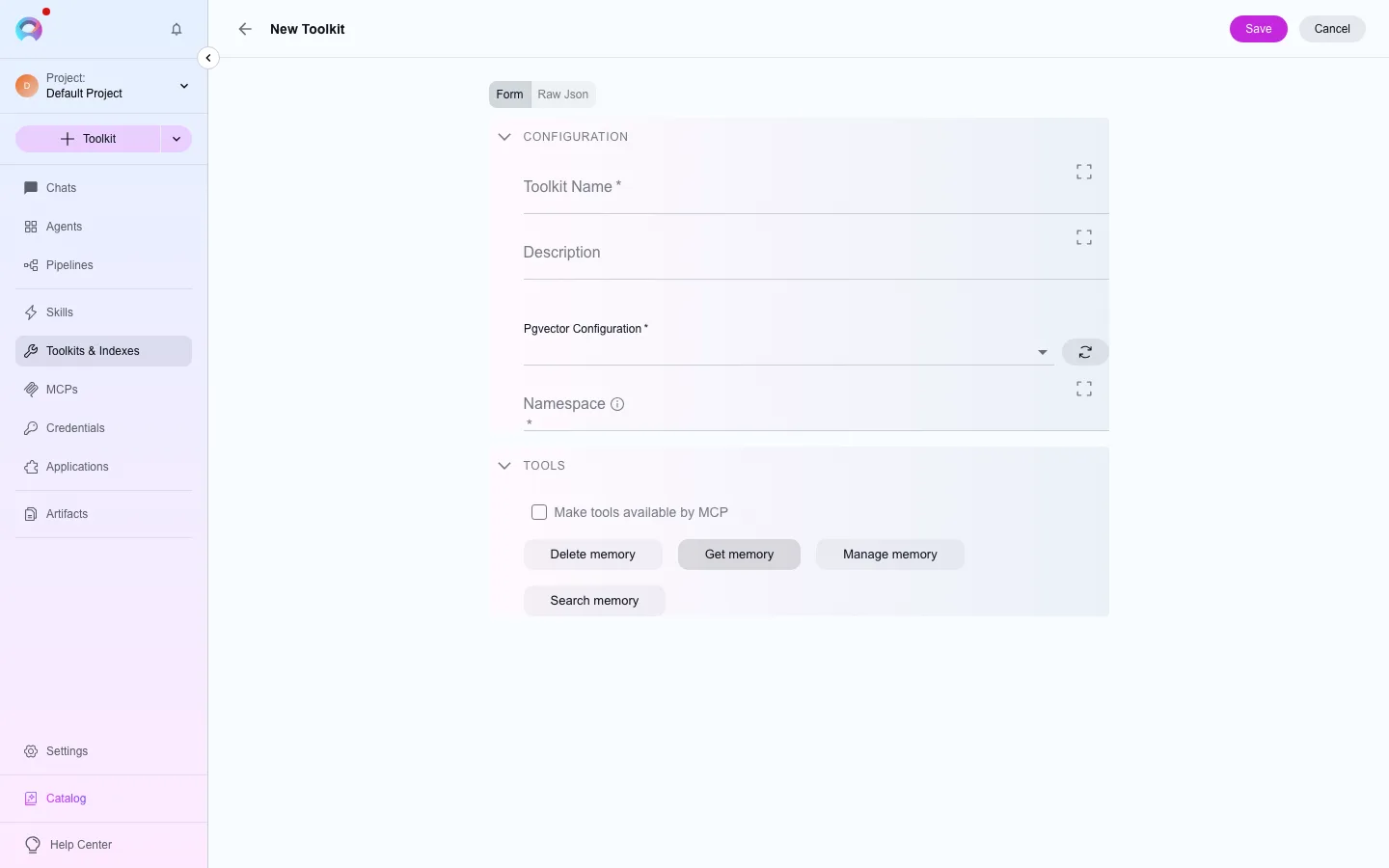
Available tools
Section titled “Available tools”Available tools (4)
The category of a tool decides when a run needs human approval to call it. See Runtime safety.
| Tool | Category |
|---|---|
| Delete memory | delete |
| Get memory | read |
| Manage memory | write |
| Search memory | read |