

LLM proxy
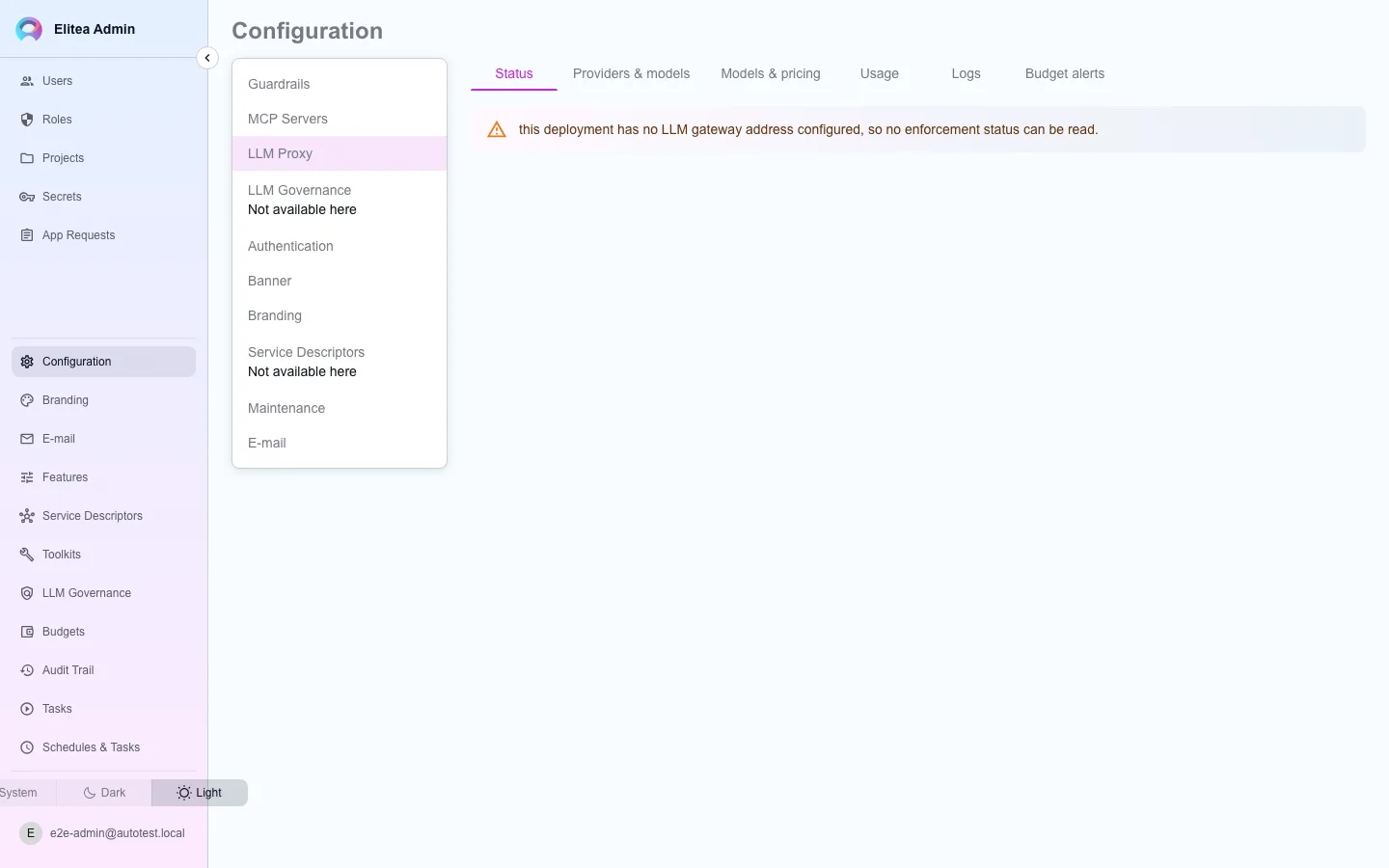
The LLM Proxy screen lives under Configuration › LLM Proxy in the admin console. It is the platform-wide control over the LLM gateway that sits in front of every model call, organized into six tabs.
Status
Models
Usage
Logs
Providers & models
Alerts
Publish a provider platform-wide
Section titled “Publish a provider platform-wide”Normally an AI provider credential belongs to one project. Providers & models lets you publish one from the public project instead, so every project can use it without configuring its own copy.
Open Providers & models
Existing platform providers are listed with a
status_okindicator — the gateway only ever dispatches to a provider whose endpoint and key resolve, so a row reportingstatus_ok = falseis stored and listed but silently never used.Add or edit a provider
Same provider types as a project credential (OpenAI, Azure OpenAI, EPAM DIAL, Anthropic, Ollama, Amazon Bedrock, Vertex AI, vLLM).
When the egress allowlist refuses a provider
Section titled “When the egress allowlist refuses a provider”The gateway calls a provider host only when the egress allowlist permits it. Test connection then fails with a message that names the refused host, for example:
The LLM gateway refused the host europe-west4-aiplatform.googleapis.com because it is not on the egress allowlist. An administrator can add it in the admin console: open LLM Governance, select New entry and the type "Egress allowlist". The deployment-wide floor is the GATEWAY_EGRESS_ALLOWLIST setting of the LLM gateway.The model test in the model form shows the same text after Connection failed:. A refused listing of the credential’s models names the host too. The host is the host of the credential’s api_base, or the regional endpoint that the region or location selects. The message has no scheme, path, user info or query.
To permit the host:
- Add a governance entry. In the admin console, open LLM Governance, select New entry, and set the type to Egress allowlist. Put the host in Permitted destinations. The gateway reads the entry within its refresh interval (30 seconds by default). You do not need a deployment change or a restart.
- Or extend the floor.
GATEWAY_EGRESS_ALLOWLISTon the LLM gateway is the deployment-wide floor that the chart sets. Change it only for hosts that every deployment of this configuration needs. A change needs a new rollout of the gateway.
The gateway enforces the union of the two lists. A governance entry can only add a host; it cannot remove a host that GATEWAY_EGRESS_ALLOWLIST names.
Cloud providers whose endpoint follows from a region need the regional host:
- Vertex AI:
<location>-aiplatform.googleapis.com(for exampleeurope-west4-aiplatform.googleapis.com), oraiplatform.googleapis.comfor thegloballocation, and the token endpointoauth2.googleapis.com(or thetoken_urihost of the service-account key). A*.googleapis.comentry covers all of them. - Amazon Bedrock:
bedrock.<region>.amazonaws.comfor the credential’s Test connection, andbedrock-runtime.<region>.amazonaws.comfor the model test and for model calls.
A private address (RFC 1918 or loopback) is reachable only when an entry names that address or its block, for example 10.0.5.20:8000 or 10.0.5.0/24. A host name alone does not open a private address. See Egress allowlists.
A model call at run time that the allowlist refuses also fails, but its error does not name the host, because the caller is not always the author of the credential. The gateway log records the refusal with the reason EGRESS_HOST_NOT_ALLOWED and the credential’s config_id. Use Test connection to see the host.
Keyless credentials (workload identity)
Section titled “Keyless credentials (workload identity)”On GKE, a platform provider of type Vertex AI or EPAM DIAL can hold no key. The gateway then signs in with the Google identity of its own pod (GKE Workload Identity).
- Vertex AI gets an OAuth access token. Set
vertex_projectandvertex_location. Leavevertex_credentialsempty. - EPAM DIAL gets a Google ID token, sent as a bearer token. Set
api_base. Leaveapi_keyempty. The token audience is theapi_baseorigin; settoken_audienceto use a different one.
To enable the mode:
Bind the gateway's service account
Set
llmGateway.serviceAccount.annotationsto your GKE binding, for exampleiam.gke.io/gcp-service-account: elitea-llm-gateway@PROJECT.iam.gserviceaccount.com. Give that Google service account access to Vertex AI, or to your DIAL deployment.Turn the mode on
Set
llmGateway.workloadIdentity.enabled: true. The chart then setsGATEWAY_WORKLOAD_IDENTITY_ENABLED=true. IfllmGateway.networkPolicy.enabledis true, it also opens egress to the GKE metadata server, and only to it. The Status tab reportsworkload_identity_enabled.Save the provider with auth mode workload identity
Set
auth_modetoworkload_identityon this screen. A switch from a key removes the stored key from the row. Use Test connection after you save.
Grant a platform model to specific projects
Section titled “Grant a platform model to specific projects”Under Models, each platform model carries a share scope:
- All projects — every project on the deployment can use it (the default for any model saved before this control existed).
- No project — stored and listed, but offered nowhere.
- Selected projects — offered only to the team projects you pick. Personal projects are not offered here individually — granting to one would be a grant to a single person, which this screen does not do.
Open a model's grant
Choose the share scope, and for Selected projects, search and pick which team projects.
Save
The model becomes available (or unavailable) to the chosen projects’ model pickers.
Content guardrails
Section titled “Content guardrails”The gateway also checks model content. Content guardrail entries under Admin › LLM Governance run detectors on each request before the provider call, and on each answer, streamed or not. A detector blocks, masks or flags what it finds. A blocked request gets HTTP 400 with error.type guardrail_error and error.code guardrail_blocked. A detector that fails under a closed fail mode gives HTTP 503 with error.code guardrail_unavailable. A blocked stream ends with an error event of the same shape. A mask entry delays a streamed answer by its look-behind window (256 bytes by default).
Each check is a verdict without content in gateway.guardrail_verdicts. The verdicts have the same retention as the request log. See Guardrail pipeline.
Read status, usage, logs, and alerts
Section titled “Read status, usage, logs, and alerts”Status
Reports what the gateway currently holds, not what was last saved — a governance rule can be rejected at load, or load but match nothing, and neither looks different from the authoring side. If the gateway is unreachable, the panel says so rather than showing stale numbers as if they were live.
Usage
Reads the per-request billing ledger, deployment-wide, broken down by provider and model. This is a report, not a control — nothing here enforces a budget; that happens on Budgets and governance.
Logs
Reads every request the gateway served, including ones a billing-based Usage report would miss entirely — refused by a budget, rejected by policy, sent to an unresolvable model, or failed upstream. The log has no column for a prompt, completion, or upstream error text; the panel states that rather than showing an expandable row with nothing in it.
The gateway keeps each row for 92 days and then deletes it. The period covers the widest Analytics preset (Last 90d). A row identifies the user and the project that made the request, the model, the route, the status and the time. So the log is a 92-day record of each user’s LLM activity. Anyone with read access to the database, or to a project’s Analytics Users tab, can see that record. The period is fixed in the gateway and no setting changes it.
Alerts
One deployment-wide default soft-alert percentage for budget warnings. A project with its own alert threshold keeps using that value — changing the default here does not override it. Turning alerting off stops the warning only; the gateway still bills and still refuses a call that exceeds a budget.