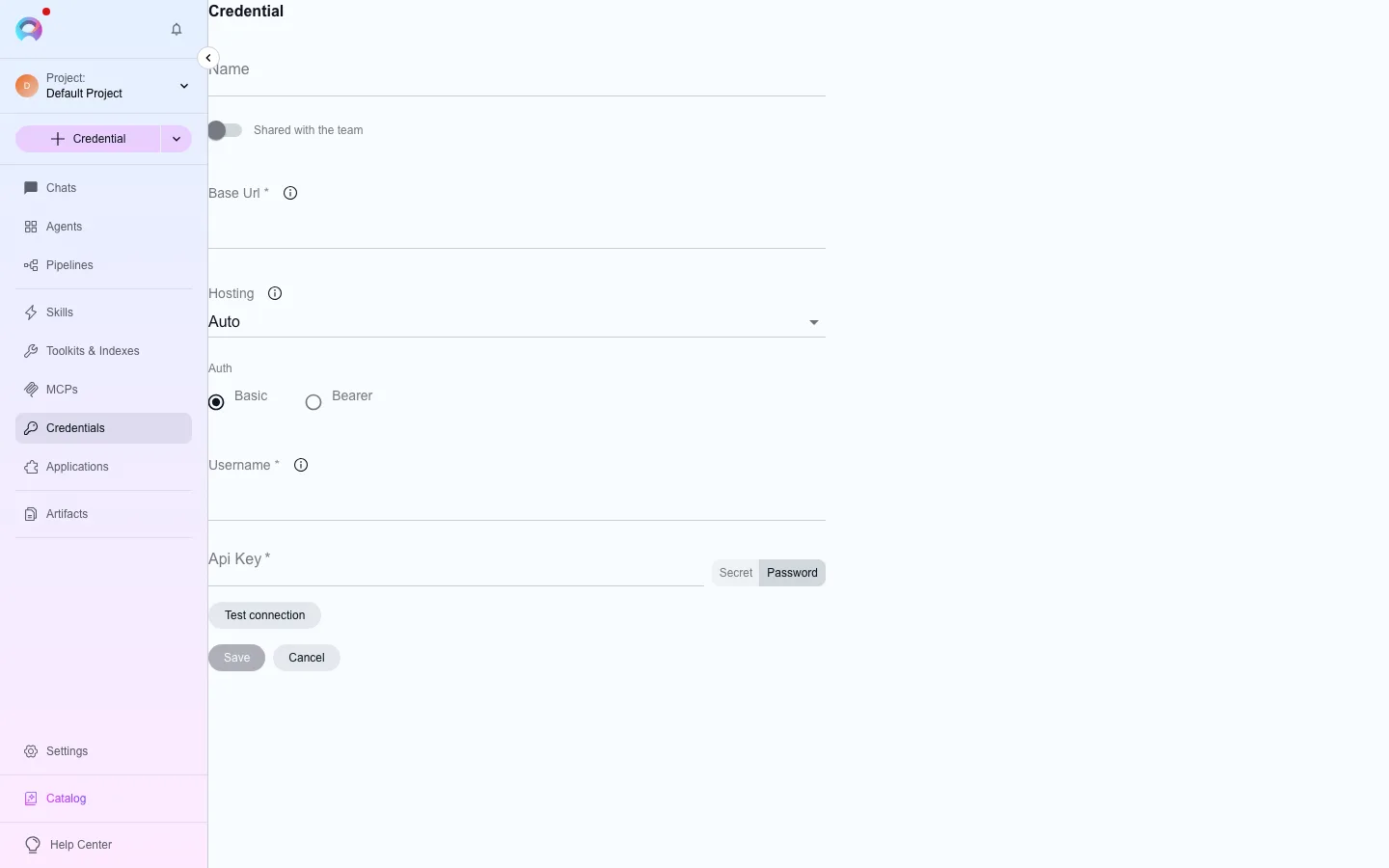
Create a credential
A credential holds the authentication details a toolkit needs to reach an external service — a base URL, a token, or a username and password. You create one, then attach it to any toolkit of the matching type.
Open Credentials
Go to
/credentials/alland click Create, or go directly to/credentials/create-credential/<type>for a specific service.Pick a type and fill in the fields
Select the credential type (GitHub, Jira, Azure DevOps, and so on). Fields vary by type — most ask for a base URL plus a token, or a username and password. Where a field expects a secret, create it first at Create a secret so it’s available in the dropdown.
Choose project or private scope
Project credentials are shared with everyone on the project; private credentials are visible only to you. Pick whichever matches who should be able to use it.
Save it
Give the credential a clear name and save. It’s now available in any toolkit form that takes this credential type.
Attach it to a toolkit
Section titled “Attach it to a toolkit”- Open
/toolkits/create/<type>(or edit an existing toolkit of the matching type). - Open the credential dropdown and select the credential you created — or create a new one on the fly from the same dropdown, as a project or private credential.
- Save the toolkit. It now authenticates using this credential.
Good practice
Section titled “Good practice”- Use descriptive names for both credentials and toolkits.
- Reference secrets from the vault instead of pasting raw values into credential fields — see Create a secret.
- Rotate credentials and secrets periodically, and remove ones you no longer use.