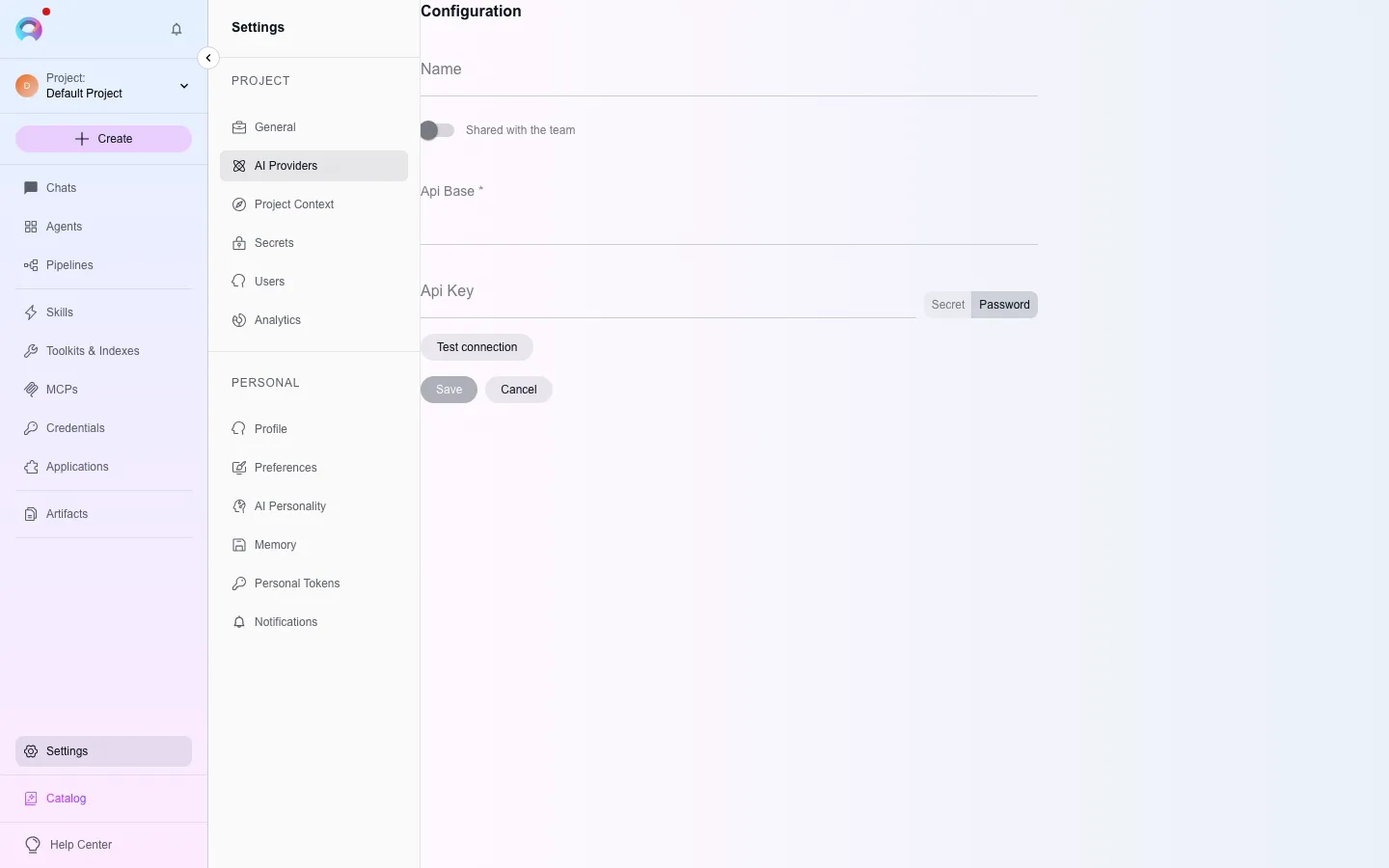
Configure an AI provider
Before anyone can chat or run an agent, a project needs at least one configured AI provider. Elitea supports seven provider kinds, and you configure each one the same way: pick a type, fill in its connection details, save.
Open AI providers
Go to Settings → AI Providers (
/settings/model-configuration). Configurations are grouped by kind: LLM, embedding, image generation, speech-to-text and text-to-speech.Pick a provider type
Click Create and choose a type, or go directly to
/settings/create-configuration/<type>(for exampleopen_ai,azure_open_ai,ai_dial,anthropic,ollama,amazon_bedrock,vertex_ai, orvllm).Fill in the connection fields
Fields vary by provider — see the table below. Give the configuration a display name for identification, then save.
Add a model
Once the provider connection exists, add the specific model it serves (display name, the exact model identifier the provider expects, context window, max output tokens). The model then appears in the model selector across chat, agents and pipelines. The most recently added model becomes the default for new conversations.
Provider fields
Section titled “Provider fields”OpenAI, Anthropic, Ollama, vLLM
| Field | Notes |
|---|---|
| API key | Required for OpenAI and Anthropic; optional for Ollama and vLLM, which are commonly self-hosted with no key |
Endpoint (api_base) | Defaults to the provider’s public API; override it for a self-hosted or proxied endpoint |
Azure OpenAI / EPAM DIAL
| Field | Notes |
|---|---|
| API key | Required |
Endpoint (api_base) | Your Azure resource URL, or your DIAL host |
| API version | Optional for DIAL, required for Azure (for example 2024-02-01) |
Amazon Bedrock
| Field | Notes |
|---|---|
| AWS access key ID | Required |
| AWS secret access key | Required |
| AWS region | Required, for example us-east-1 |
Google Vertex AI
| Field | Notes |
|---|---|
| Google Cloud project | Required |
| Location | Required, for example us-central1 |
| Service account JSON | Required — paste the whole service-account credentials document |
An administrator can also configure providers globally, shared across every project, from the admin console’s LLM Proxy section — useful for a team-wide default model that individual projects don’t need to configure themselves.