Connect a toolkit quick start
Toolkits give a model access to an external service — searching Jira issues, reading a GitHub repository, browsing a Confluence space, and more. You create a toolkit once, then attach it to any conversation, agent or pipeline as a participant.
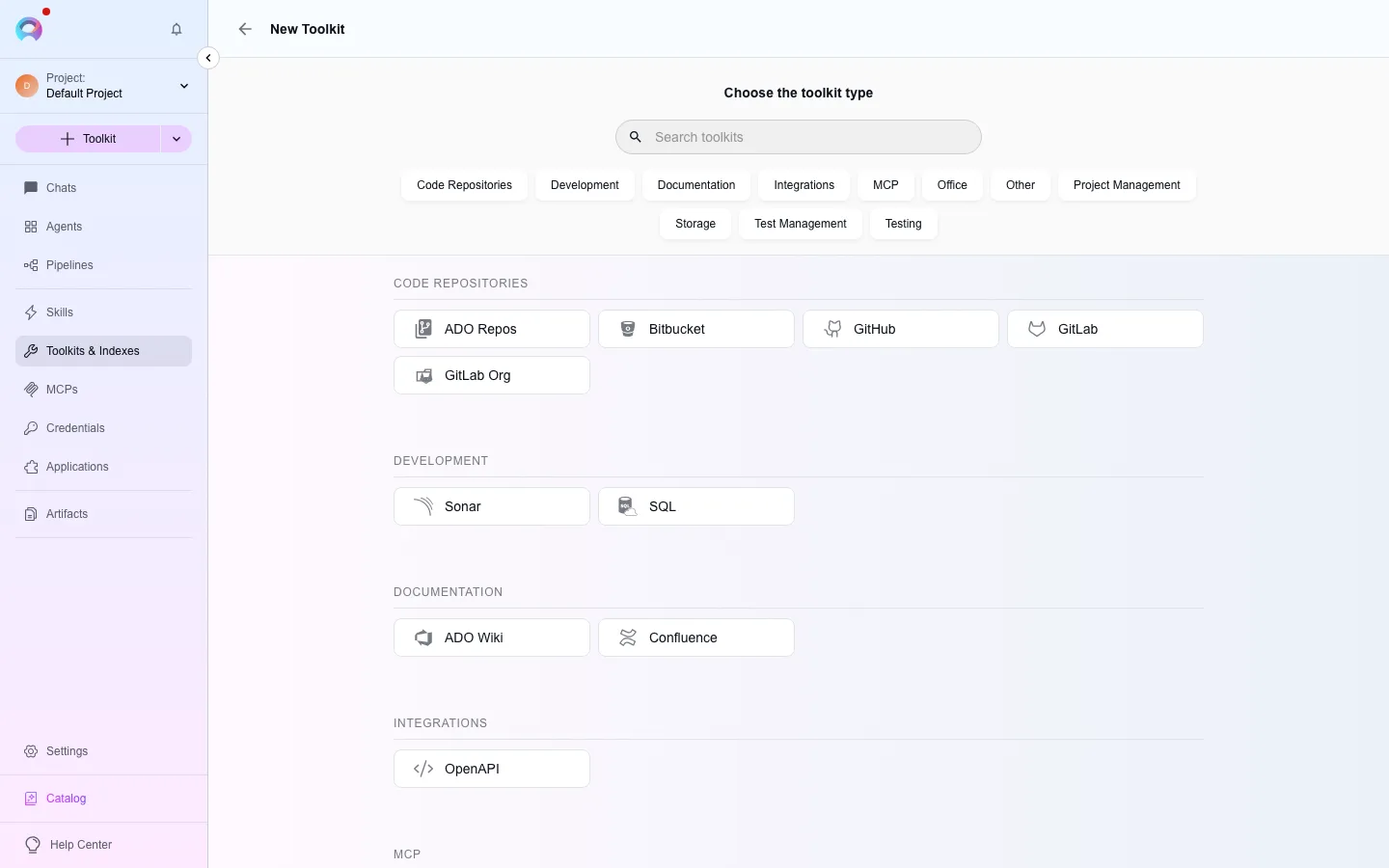
Open the toolkit type picker
Go to
/toolkits/create. Tiles are grouped by category (code repositories, project management, documentation, testing, and so on); pick the service you want to connect.Attach or create a credential
Most toolkit types need a saved credential. In the toolkit form, open the credential dropdown and either select an existing one or create a new one — this opens Create a credential, where you fill in the service’s base URL and authentication (an API token, a username and password, or an app key, depending on the type). Save the credential, then refresh the dropdown in the toolkit form to pick it up.
Configure the toolkit
Give the toolkit a name, fill in any service-specific fields (repository, project key, space, bucket name, and so on), and choose which tools to enable — each toolkit type ships a fixed list of tools (for example Jira’s “Search using JQL” and “Create issue”). If the type supports indexing, you’ll also pick an embedding model and a vector store here; see Indexing overview.
Save and attach it
Click Create. The toolkit now appears in your toolkit list at
/toolkits/all. To use it, open a conversation, click the + button, go to Toolkits, and select it — the model can now call its tools.
A few common toolkit types
Section titled “A few common toolkit types”| Type | Credential fields | Typical use |
|---|---|---|
| Jira | Base URL, and either username + API key or a bearer token | Search and create issues with JQL |
| Confluence | Base URL, and either username + API key or a bearer token | Search and read documentation pages |
| GitHub | Access token, username + password, or a GitHub App key (or none, for public repositories) | Read files, list pull requests, create issues |
| Figma | Personal access token | Read file structure, images and comments |
| TestRail | Instance URL, e-mail, password or API key | Read and create test cases |
| Artifact | A bucket name (lowercase letters, numbers and hyphens) | Store and retrieve files agents or chat attachments read and write |
See Use credentials for the project-vs-private credential distinction, and Create a secret if you’d rather reference a value from the project vault than paste it into a credential field.